Getting Started with Dog!
Your first lobbies explained — UI, Coins, roles, and how not to confuse Ask Dog chat with codes.
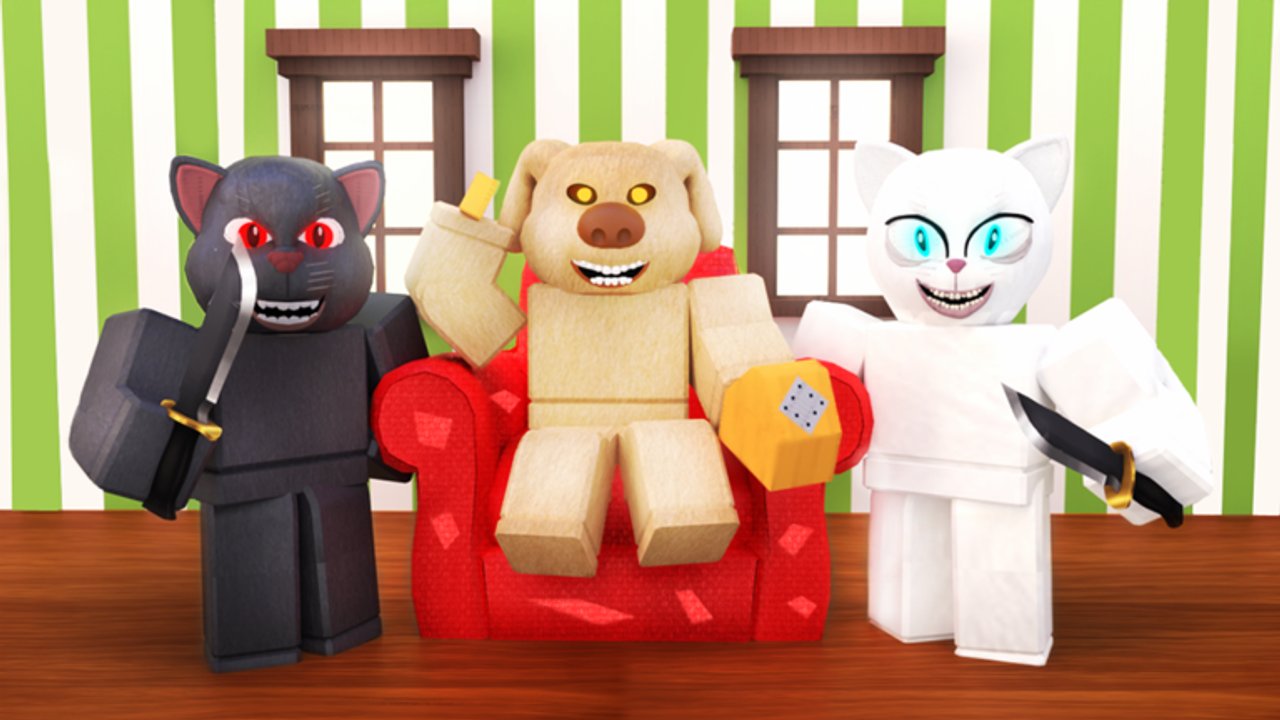
Welcome to Dog! (formerly Ben!)
Dog! is a Roblox survival horror experience by Retro Horror (place 8583038000, universe 3270347456), released 19 January 2022, with 265M+ visits. Matches play out as a 1 vs All fantasy with up to seven players: survivors complete chapter objectives and escape while the Dog threat hunts them down. The game was previously known as Ben! — same horror DNA, updated branding.
This guide gets you from first join to a competent second night. Afterward, specialize with how to survive, how to play as Dog, and the chapter walkthrough. Free Coins live on the Codes hub.
Before you ready up
- Launch from the official game page.
- Enable a mic if you have one; otherwise plan to type short callouts.
- Open the Codes button on the left, redeem any active strings (
DANZLUA,100KLIKES,150KMEMBERS,200KMEMBERSwhen they still work), and confirm Coins rise. - Glance at the shop: traps beat cosmetics early (see traps tier vs skins).
- Remember: typing Dog + a question in chat is flavor interaction, not code redeem.
Controls and camera habits
Dog! uses standard Roblox movement with horror-specific interacts:
- Move / jump / camera — default Roblox binds unless you rebound them in settings.
- Interact / ClickDetector props — doors, buttons, chapter devices; do not walk past glowing or prompted objects.
- Sprint stamina mindset — hold speed for rotations, not endless panic circles in the same room.
- Crouch / hide spaces — closets and corners matter; leave early if Dog commits to your prop.
Sensitivity tip: slightly lower horizontal sens helps taser tracking later (tase guide).
Your first round as survivor
Expect disorientation — that is intentional. Prioritize:
- Hear the lobby role — know whether you are survivor or Dog before you wander.
- Find living players — solo hide simulators get picked last without key progress.
- Touch objectives — keys, machines, gates; chapters do not solve themselves.
- Plant one trap early if you own one — review S-tier plants on the traps list.
- Call Dog — “Dog kitchen” beats silent deaths.
Dying is data. Note which doorway killed you and reuse that knowledge on the next chapter attempt.
Shop basics (Coins)
Coins purchase:
- Traps and tools — bear traps, taser access paths, mobility, stalls.
- Cosmetics — Cleetus, Tompus, and shop rotations ranked on skins.
New-player spend order: redeem codes → one reliable stall tool → taser comfort → mobility if maps feel huge → cosmetics last. Never empty your balance on a neon C-tier flex before you own a plant pattern.
Roles overview
Survivor
Your job is unlock, stall, escape. Deep dive: survivor role and how to survive. Win conditions tie to chapter clears and Escape Dog style badges.
Dog
Your job is pressure and denial. Deep dive: Dog role and how to play as Dog. Badges like Be Dog and Dog Wins track killer success.
Public lobbies rotate roles — learn both or you will soft-int half your night.
Ask Dog vs Codes (do not mix them)
| Action | Where | Result |
|---|---|---|
Paste 200KMEMBERS | Left Codes UI + Submit | Coins if valid |
Type Dog where are you | Chat | In-world chat interaction |
| Type a code in chat | Chat | No redeem |
Details and expired lists: Codes hub.
Badges to eye early
- Be Dog / Dog Wins — killer path.
- Taze Dog — stun success; see dedicated guide.
- Escape Dog / chapter completes — survivor path.
- Obby — side parkour content when available; warm up movement there if the lobby idle is long.
Chapter teaser
Book-style chapters climb toward chapter 8’s prison finale. Along the way players reference spaces like Tom’s house, lab areas, radio station layouts, and carnival-associated maps. Keep lore claims humble — play the objectives in front of you. Structure overview: chapter walkthrough. History and rebrand notes: updates.
Fair play
Skip executors. The Scripts hub explains FG Hub and Dog Or Ben utilities only so you recognize them and stay away. Bans are not worth a Coin teleport.
First-night checklist
- Redeem codes
- Buy one trap
- Survive two rounds without AFK hiding the entire timer
- Play one Dog round even if scared
- Open Guides hub and pick tomorrow’s specialty
- Save official links from Wiki
Common beginner mistakes
- Redeeming nothing, then complaining the shop is gated.
- Screaming in chat instead of calling a room name.
- Chasing Dog with empty hands while the key sits on the floor.
- Spending all Coins on skins day one.
- Quitting the instant you become Dog — you need those reps.
After this guide
Graduate to how to survive for hide timing and escape routes, or jump killer-side with how to play as Dog. When objectives stall, skim the walkthrough. When loadouts argue, open the tier list hub.
You do not need perfect aim tonight. You need Codes → Coins → one trap → one clear callout. Everything else in the Dog! wiki builds on that loop.
Welcome to Retro Horror’s yard. Stay quiet when you hide, stay loud when you call, and do not paste codes into Ask Dog chat.
Frequently Asked Questions
Quick answers for survivors and players hunting as Dog.
Is Dog! the same game as Ben!?
Dog! is the current name for the experience formerly known as Ben!, still by Retro Horror on Roblox with the same survival-horror 1 vs All fantasy.
How do new players get Coins fast?
Redeem working codes in the left Codes menu for about 100 Coins each, then earn more through normal play. Do not type codes in chat.
Should I main survivor or Dog first?
Learn survivor fundamentals first so objectives make sense, but take Dog rounds early too — public lobbies will assign you both.
What should I buy first in the shop?
A reliable trap or taser-related tool beats cosmetics. Check the traps tier list before spending on skins.
Where are official links?
Use the wiki links page for the Roblox game URL and Retro Horror group, plus internal hubs for codes and guides.